1. Invite them from your site
Open one of your sites, choose Link a contractor, and enter the email of an Owner or Admin at the company and what they do there: security, cleaning, maintenance or other services.
For site owners and property managers
Your cleaners, guards and maintenance crews do the work on your sites. Link them to Akton and every incident, patrol, action and log entry they record there shows up in your app as it happens, beside your own. No portal to fill in, no PDFs by email, no chasing for a monthly report.
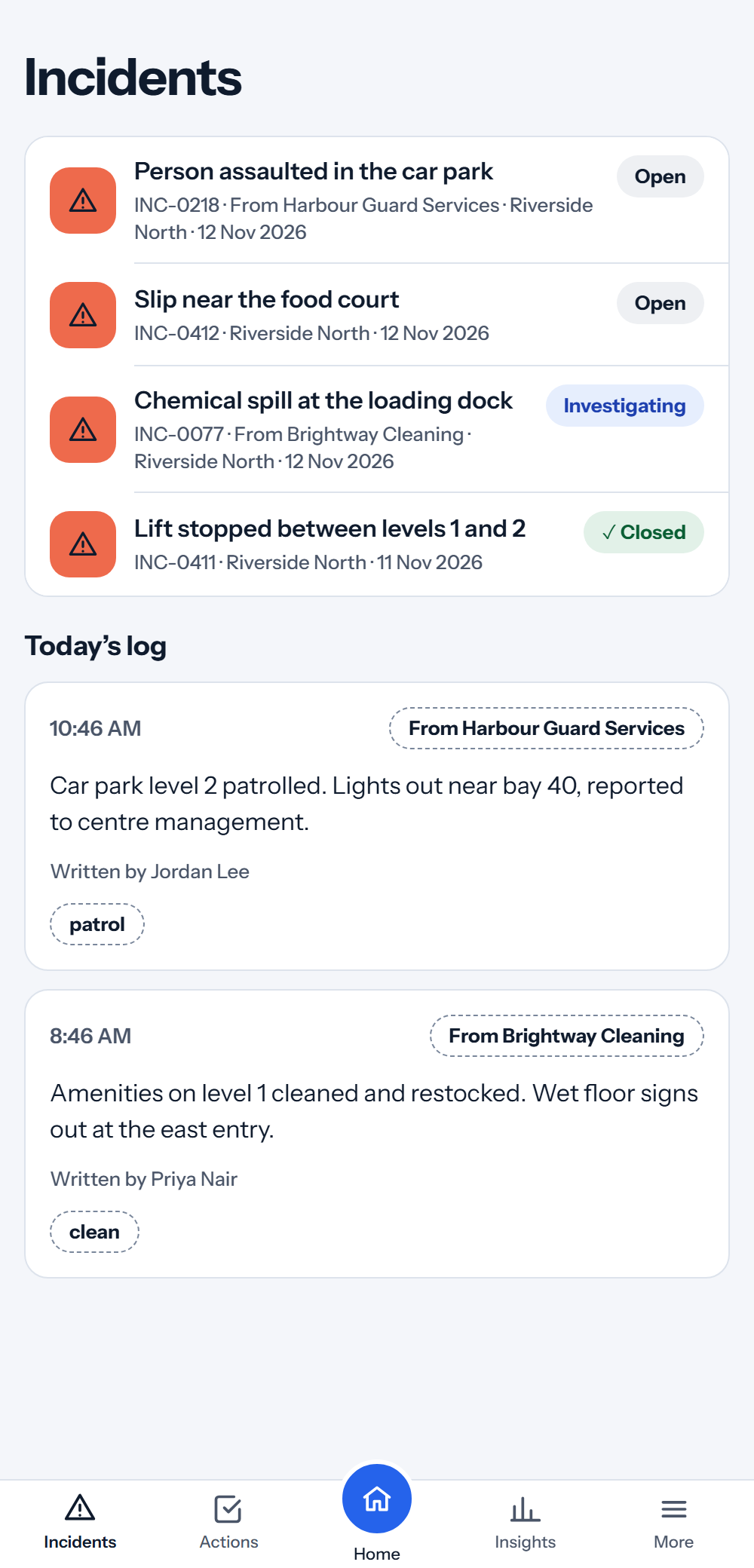
Today each contractor keeps its own records in its own system, and you see a summary when someone asks for one
Linked you see the record itself, the moment it’s made: the same incident, photos and signatures your contractor keeps
How linking works
Open one of your sites, choose Link a contractor, and enter the email of an Owner or Admin at the company and what they do there: security, cleaning, maintenance or other services.
They accept from the email with their own site for your building. Not on Akton yet? The same email lets them start free and accept straight after.
From that day on, what they record at your site appears in your Incidents, Audits, Actions and Log, marked with who it’s from, and counts in your Insights.
Why it’s different
Contractor portals collect insurance certificates and inductions, but not what happened on last night’s shift. Checklist apps keep each company’s inspections in its own account. Linking connects the work itself.
What you see
People, witnesses, damage, controls, photos and sign-off, exactly as the contractor recorded them. Download the same PDF they would.
Each check with its score, what failed, the photos and the actions it raised. See whether the work you pay for is being done.
What they’re fixing and by when, and their log entries in your site’s day beside your own, in the day’s PDF too.
When a contractor reports a high or critical incident at your site, your people with access to that site hear about it, by email or on their phone, as each person chooses.
Incidents by category, audit scores and actions at each site, with contractors’ records counted in. Switch them off to see your own team alone.
Every shared record says which contractor it’s from, and searching a contractor’s name finds their work.
Fair to both sides
You read what they share; you can’t change it, and nothing you do changes their record. The record stays the evidence it was when it was made.
You see what they record at the site you linked, from the day they accept. Their other clients and their earlier work stay private.
Jobs, costs and their internal comments aren’t shared. Every invitation, acceptance and ending is in both companies’ security logs.
Either side can end a link at any time, with a reason. Nothing new is shared after that, and what was shared stays readable for you.
Only your people with access to that site see its contractors’ records, checked on the server for every record, as with your own.
Records and photos are stored in Sydney, encrypted in transit and at rest, and photos open through short-lived private links.
For contractors
If you clean, guard or maintain someone else’s site, linking shows your client the work as you do it: every patrol, clean and fix, with times, photos and signatures. It’s the evidence you’d gather for the re-tender anyway, already in front of the person deciding. You keep your own records and your own app, and your jobs, costs and comments stay yours.
More for contractors: Security companies · Cleaning companies · Maintenance teams · Integrated services
Free to start, with every feature for 14 days. No card. Set up your sites, then invite the companies that work on them.
Start free